League Operations
Youth Volleyball Doesn’t Break on the Serve. It Breaks on the Shared Gym.
The match is three sets. The hard part is the school gym, the second court, and the parent who still has last week’s door.
· Updated · Coaches Pick · 11 min read
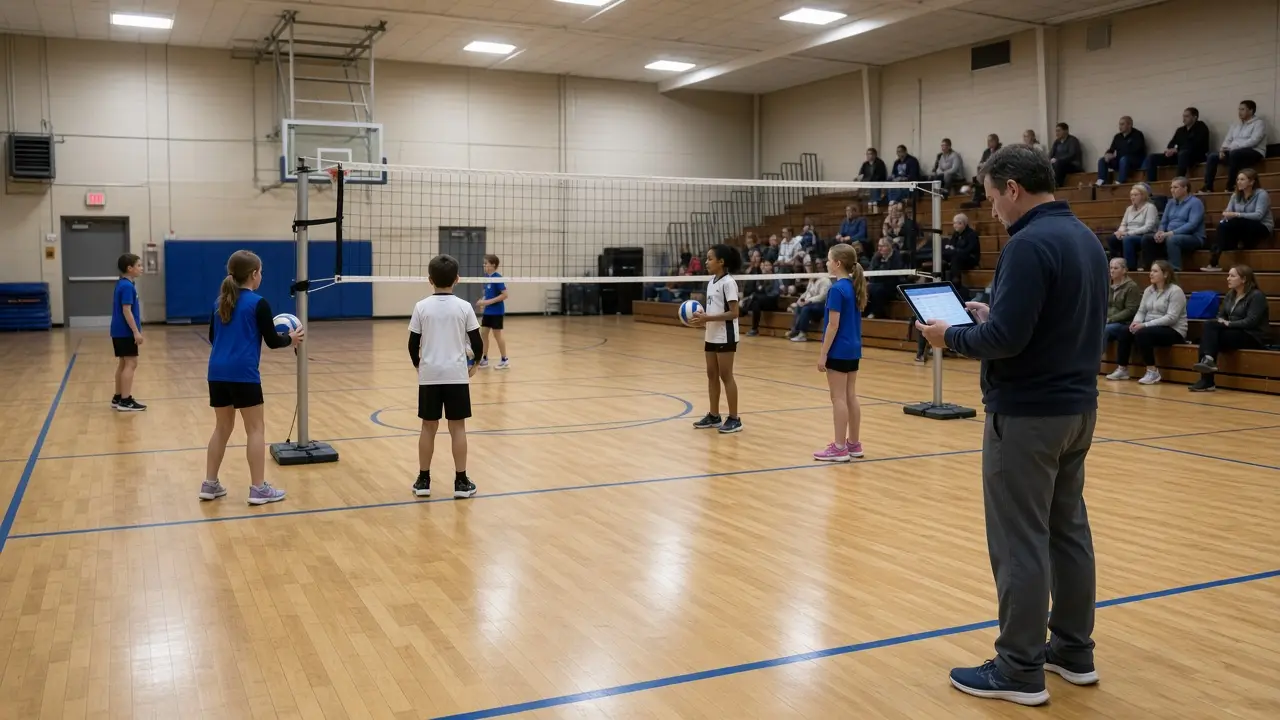
If you run a youth volleyball league, September is not the championship. It is the fight for a school gym that also hosts basketball, open gym, and a PTA movie night.
Soccer loses Saturday on a field flip. Baseball loses a weeknight on a diamond. Tennis loses the evening on a court number. Volleyball loses Tuesday on a locked door and a court number nobody published. The sport is different. The operations problem is the same: one official schedule, or three unofficial ones.
Why do youth volleyball leagues break on a shared gym?
They break because court inventory is smaller than a field complex, and a second net does not appear just because you added a division.
A Dallas volleyball or Atlanta volleyball director can fill 10 teams faster than they can find 10 clean hours of hardwood. Fall makes it worse. School volleyball has first claim. Rec programs get the leftover window. A locked door has the same effect as a rainout — except it happens on a school night.
- Put the gym name, court number, and start time in one league dashboard.
- Treat a school lockout like a rainout: change the official schedule first, then text.
- Tell parents which door to use. First-time families do not know the cafeteria entrance is the gym entrance.
How should directors publish court numbers parents can actually use?
Publish court, net, and door next to the week’s matches — not as a hallway sign only the coach saw last month.
Most Houston volleyball and Orlando volleyball rec nights split one gym into two courts. “The gym” is not an assignment. Say Court 1 or Court 2 the way the tape is laid that night. Coaches Pick keeps that slot beside the roster so a late add is not wandering the hallway. Pricing stays free for league owners.
- Use the taped or signed court name, not a nickname only referees know.
- If two matches share a gym, say which net and which sideline.
- Link the gym address from the same place first-time parents already check for start time.
What happens when basketball or school volleyball takes the gym?
Your rec match moves only if the official schedule and the message move together. Otherwise the team that already set the net will keep it, and everyone else inherits the hallway.
A Chicago volleyball or New York volleyball night can die in the parking lot: a concert, a district closure, a boys practice that ran long. Los Angeles volleyball has the opposite problem — year-round gym demand and permit fights. Either way, the new court has to land in the same channel as the original start time.
Do girls rec and school volleyball families need the same schedule?
They need one official gym and start time per roster. They do not need the same rulebook copied from the school team.
School parents will hunt a district app. Rec parents will hunt a text thread. If those disagree, the rec family leaves. Keep both on the same youth sports league management platform so Tuesday looks the same at the door.
How should a fall volleyball director message a gym change?
Call the change in the same place as the original match. Say which teams moved, which gym and court they got, which door to use, and what time the ball goes up.
Vague “check the app” notes refill the inbox. A Miami volleyball heat delay or a Seattle volleyball late bus is normal. Families will forgive a lockout. They will not forgive finding out in the hallway. Give coaches the same notice parents get. They are the ones holding the clipboard when the wrong team walks in.
- Name the teams and courts that moved, not “evening matches.”
- If school is closed, the gym is closed. Say that once, officially.
- Put the makeup in the master schedule before anyone asks for it.
Do boys and girls volleyball flights need separate operations?
They can use different nets, different formats, and different age bands. They still need one official court per flight so a household with a daughter at 5:00 and a son at 6:30 does not need two tools.
Do not treat the boys flight as leftover court time after the girls matches, or the reverse. Give each flight its own start, its own net, and its own parent note. A San Diego volleyball or Boston volleyball family that registered both kids will notice which flight gets the clearer door. Each flight is a court that still needs a start time.
What should a first-time volleyball family know before the first match?
Send one first-night note. Cover arrival time, door, court, what kids wear, and where the live schedule lives. Do not bury it in a 12-email welcome series.
- Arrive 15 minutes before the listed start. Volleyball needs time to find the door, change shoes, and walk the hallway.
- Kids need court shoes, knee pads if your league uses them, a water bottle, and the jersey if they have it. Follow the list your director sent.
- Treat the published time as the first serve, not the arrival time.
- Parents stay off the court. Sideline coaching that talks through every rally confuses kids who are still learning the rotation.
- If the league posts a gym map, open it before you leave the house.
A school gym and a rec-center court do not have the same rules about bags, guests, or which door unlocks. Phoenix volleyball school rules are not always the same as a club packet in Chicago. The first-night note should say who to find in the hallway if a kid is on the wrong net.
Why do door codes and net numbers belong next to the roster?
Because a 6:00 match is already tight. A family that finds the school and still cannot get into the gym will miss the first rally. The door code and the net number are part of the assignment.
Publish them the same way you publish the court: next to the week’s matches, not in a photo from last season. If codes change weekly, the new code has to hit the same channel as the start time. Dallas volleyball and Atlanta volleyball schools often lock the main entrance after the office closes. A stale code is a missed serve.
What should a volleyball director check before the next gym night?
You need the basics to hold while the roster is still moving.
- Every parent can find tonight’s gym, court, and door without asking a coach.
- Every coach can see an accurate roster, including late adds.
- A lockout or court flip hits the same source everyone already uses.
- Boys and girls flights each have their own court and their own parent note.
- New families get a short first-night note: arrival time, door, court, and what kids wear.
- You have one place to message a team instead of rebuilding a text thread.
If those things are true, a fall volleyball season can absorb a school concert, a late registration, and a coach who has to work Thursday. If they are not, the league spends its goodwill on hallway logistics. Brands that want to show up on those gym nights can sponsor a game. Directors can request a demo. Coaches Pick stays free for league owners.
Frequently asked questions
What is the hardest part of running a youth volleyball league?
Shared gym time. School lockouts, a basketball practice that ran long, and a missing court number create more parent questions than the score. The official gym, court, and start time have to live in one place.
How should youth volleyball leagues announce a gym or court change?
Update the master schedule first, then message every affected roster with the new gym, court number, door, and start time. Coaches and parents should see the same change at the same time.
Is Coaches Pick free for youth volleyball league owners?
Yes. Coaches Pick is free for league owners, including rec and school-based volleyball programs. Parents, coaches, referees, and kids get dedicated portals for schedules, rosters, and messages.
What should parents do when the school gym is locked?
Check the same place that listed the original court. A director should say whether the match moved, which door and court to use, or that the gym is closed. Do not send families to a locked door to find out.
Need free youth league management software?
Coaches Pick is free for league owners. Registration, schedules, messaging, and portals for parents, coaches, referees, and kids — built for NFL FLAG and other youth sports programs that are adding teams.